Top 6 AI Scholar Translators for Research Papers (2026)

Alex. J
3/6/2026
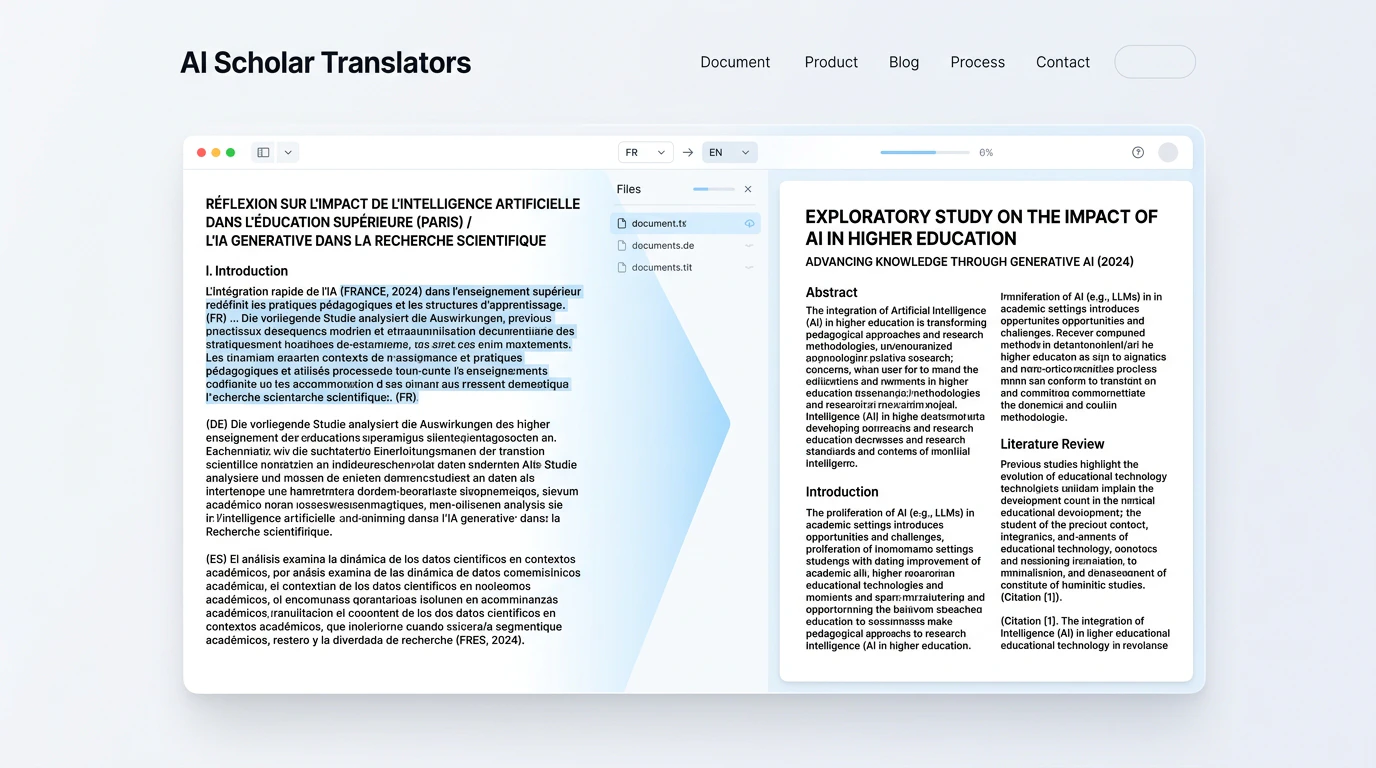
Top 6 AI Scholar Translators in 2026: Hands-On Review
In 2026, AI translation tools are everywhere — but very few are actually built for research papers. This list breaks down the 6 best AI Scholar Translators, so you can pick the right one without the guesswork. (Tested and written by the Supawork AI editorial team, March 2026.)
How We Evaluated These Tools
Not all AI translators are equal — so here's exactly what we looked at before making this list.
- Translation Accuracy — One wrong term in a methods section can change everything.
- Format Preservation — Whether it keeps the original layout, tables, and citations intact.
- Language Coverage — How many languages are supported.
- Ease of Use — Sign-up requirements, upload flow, and overall UX.
- Anonymous Access — Whether you can try it without creating an account.
- Pricing — Free plan limits and paid plan value.
Top 6 AI Scholar Translators at a Glance
| Tool | Description | Best For | Platform | Plan | Starting Price |
|---|---|---|---|---|---|
| Supawork AI | Translate academic PDFs instantly with bilingual side-by-side view. | Students & researchers needing quick PDF translation | Web | Free | Free |
| Paperpal | One AI platform for the full paper process. | Students translating while writing | Web | Freemium | $25/mo |
| ScholarAI | Helping you move from questions to answers, faster. | PhD students & research-heavy users | Web | Freemium | $9.9/mo |
| R Discovery | Convert academic papers into your first language. | Readers who want interactive comprehension | Web+App | Freemium | $3.99/mo |
| Linnk AI | 136-language paper translator with term review. | Research assistants needing wide format & language support | Web | Freemium | $8.2/mo |
| Wordvice | Write, translate, and polish — one toolkit, every platform. | Professionals needing quick short-text translation | Web | Freemium | $9.95/mo |
Prices reflect publicly listed plans as of March 2026. Always verify on the official website before purchasing.
In-Depth Reviews: Top 6 AI Scholar Translators
1. Supawork AI ★★★★

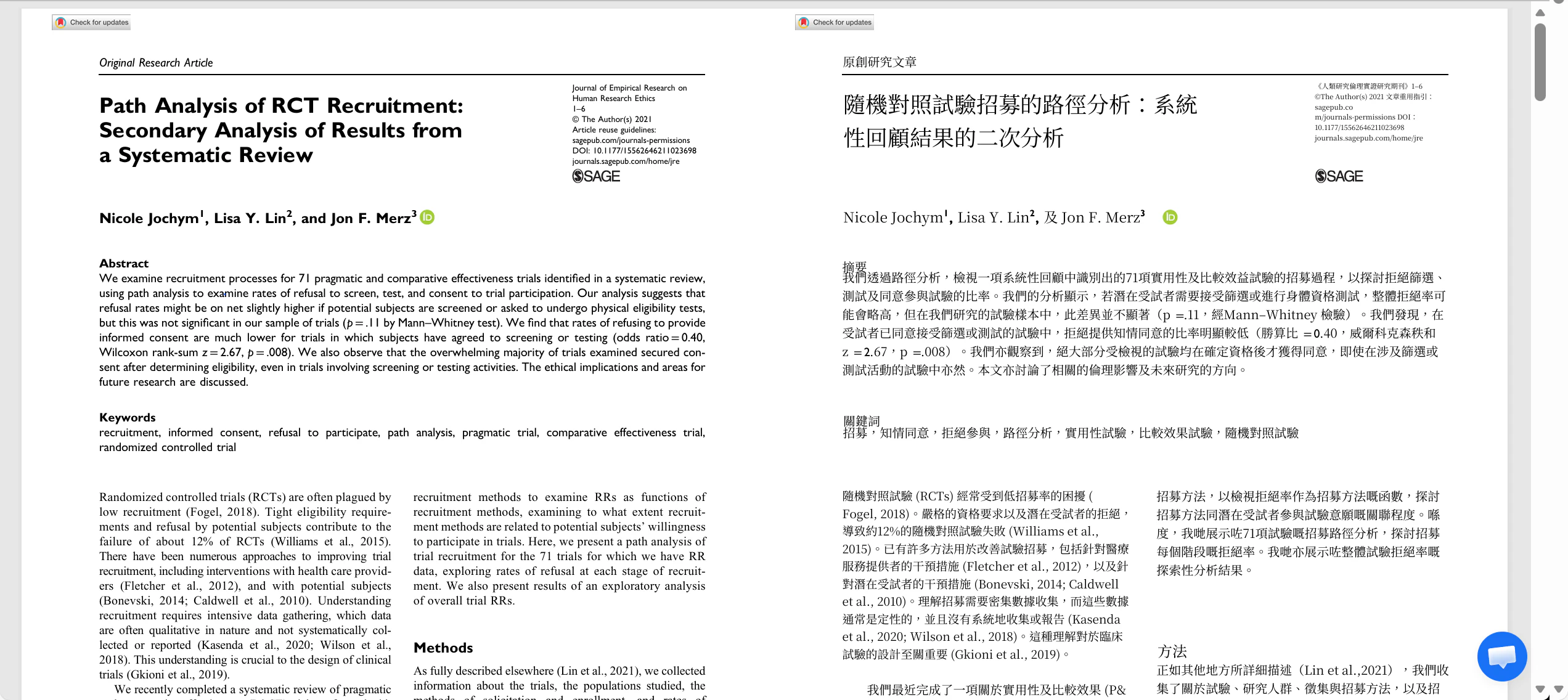
Summary: Fast, no-signup academic PDF translation with side-by-side bilingual review — the lowest barrier to entry on this list.
✅ Pros
- Dual-pane bilingual view with single-language / bilingual toggle for easy verification
- Supports 50+ languages (including English, Chinese, French, Spanish, German, Japanese, etc.)
- Real-time preview and editing after generation
- No sign-up required — anonymous users can use it for free
❌ Cons
- Page generation and loading can be slow
- Only supports PDF (no Word or image workflows)
🖼️ Tool Preview
💬 User Experience
Great "open-and-use" experience because anonymous access is allowed, but slower generation can interrupt long reading sessions.
📖 Example Use Case
A grad student uploads a 20-page biology paper PDF in English. The translation completes in under 2 minutes. In side-by-side mode, she spots two mistranslated statistical terms ("hazard ratio" rendered incorrectly) and edits them directly on the page. The layout — including tables and figure captions — is preserved throughout. No account needed, making it the fastest zero-friction option tested.
🛠️ How to Use
Upload your PDF → Select target language → Click Translate → Review side-by-side bilingual output → Edit directly on the page if needed. No account required.
2. Paperpal ★★★★
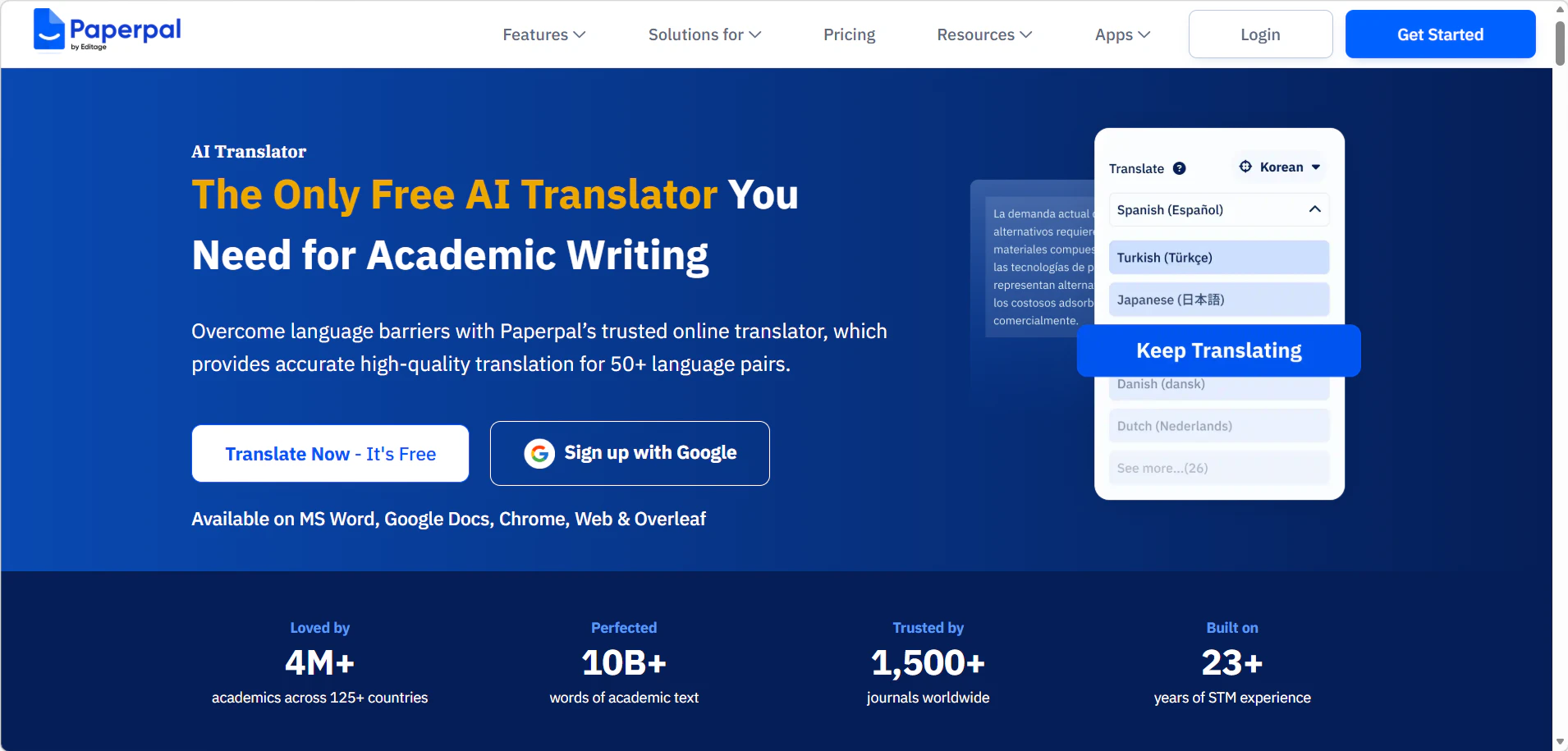
Summary: An in-editor translator built for students who write and translate at the same time — works directly inside Word, Google Docs, and Overleaf.
✅ Pros
- Works across MS Word, Google Docs, Chrome, Web, and Overleaf
- Clear free trial: up to 5 free uses per day
- Handles multi-paragraph translation efficiently
- Unlimited monthly plans starting at $25
❌ Cons
- Limited language coverage compared to 100+ language tools
- Requires sign-up before use
- Free users limited to 1,000 words per selection
🖼️ Tool Preview
💬 User Experience
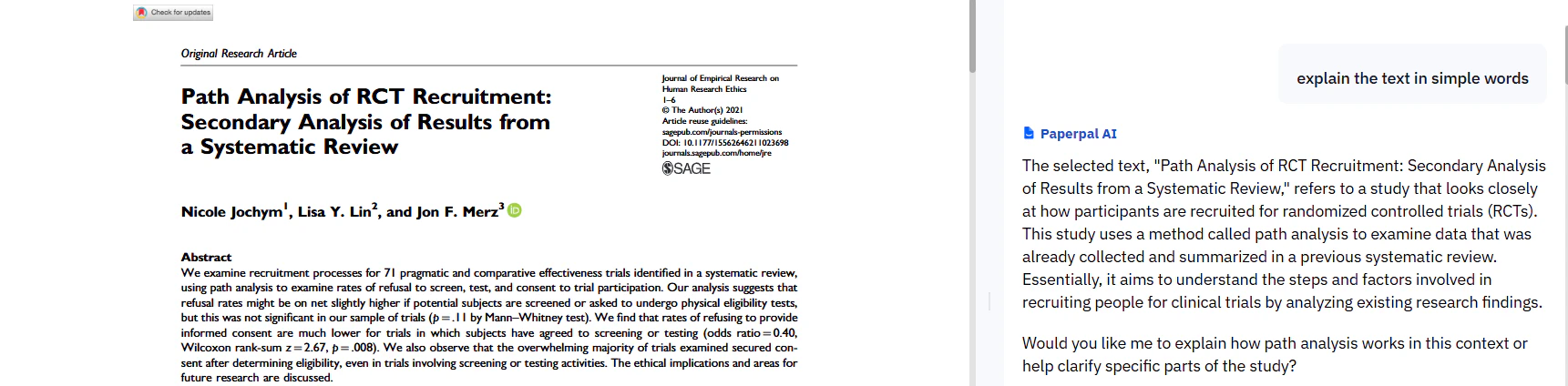
Strong for "in-editor translation," but the login requirement and free limits make it less ideal for one-time full-paper translation.
📖 Example Use Case
A non-native English speaker drafts a methods section in Chinese inside Google Docs. She selects each paragraph and uses Paperpal to translate in-place — the translated academic English appears immediately without switching tabs. She uses up 3 of her 5 daily free selections on the methods section alone, saving the remaining 2 for the abstract. The output reads more naturally than Google Translate but still requires light editing for field-specific phrasing.
🛠️ How to Use
Install the Paperpal extension on Chrome, or open in browser / MS Word / Overleaf → Sign up for a free account → Select the text you want to translate → Click the Paperpal icon and choose "Translate" → Select target language → Translated text appears in-place. Free users get up to 5 selections per day (up to 1,000 words each).
Note: One free "use" = one translation selection (up to 1,000 words). Paperpal is unique in that it works inside your writing environment — you don't need to switch tabs or upload files separately.
3. ScholarAI ★★★★
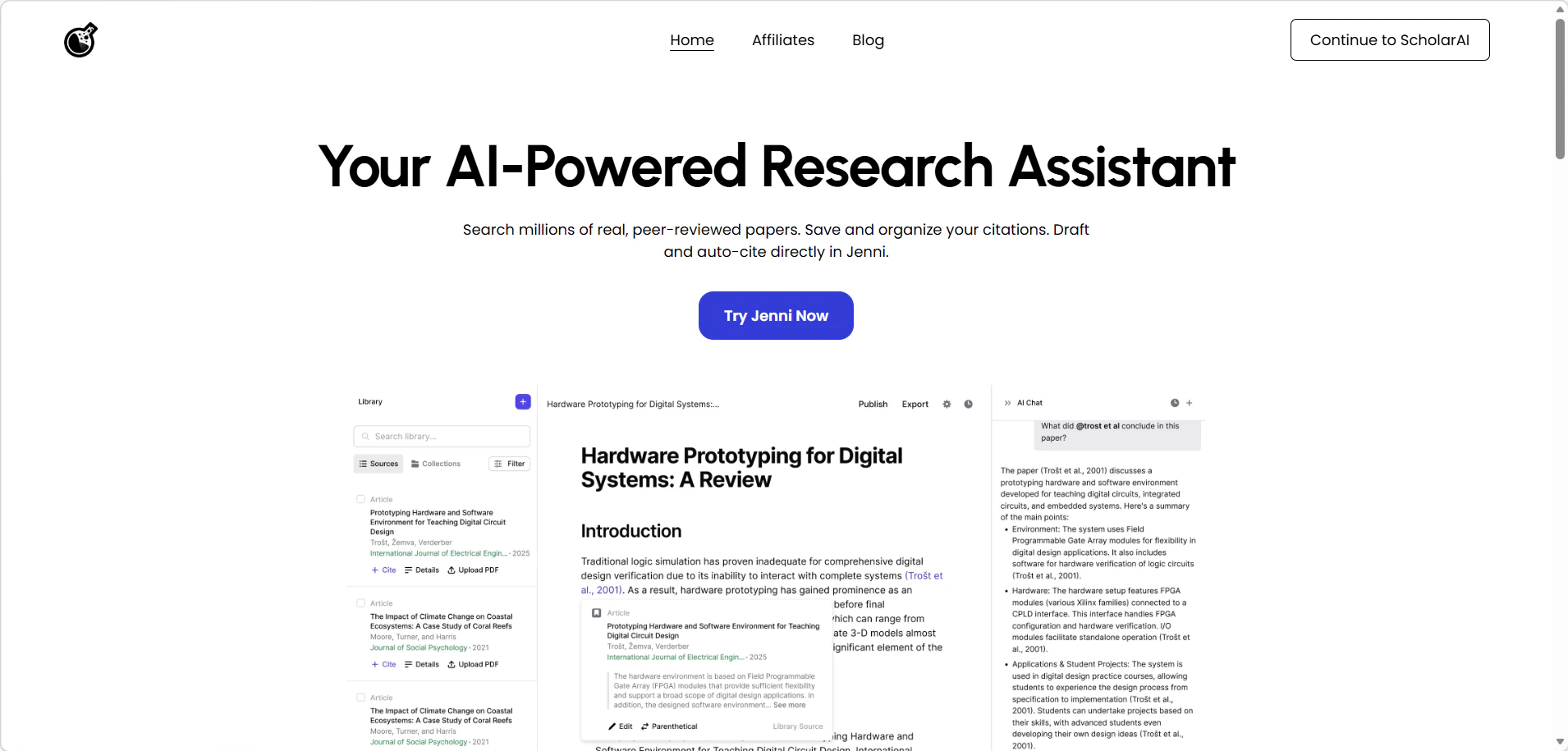
Summary: More than a translator — a full research workspace with AI Chat, rewriting, and file import/export for academic pipelines.
✅ Pros
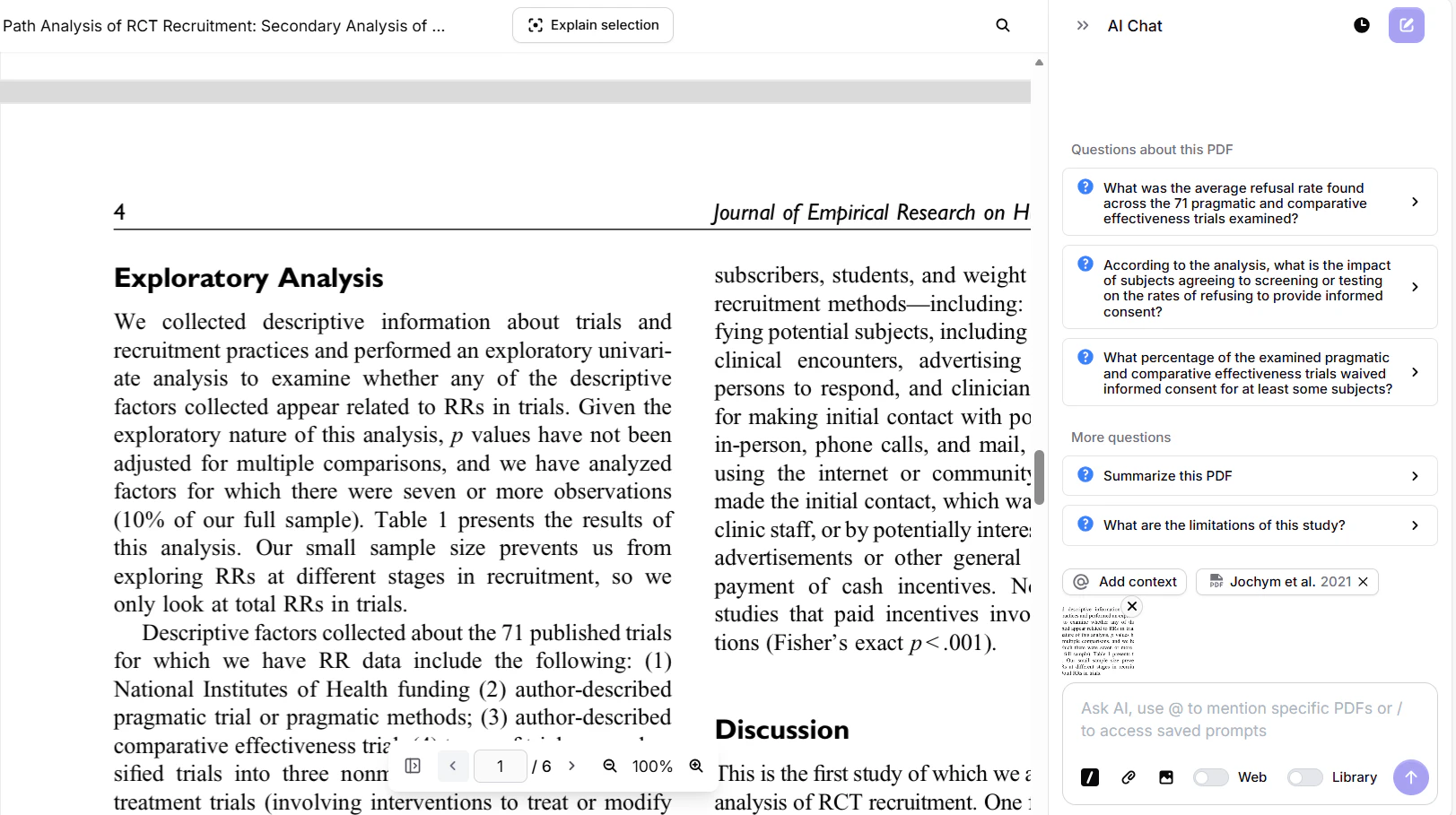
- AI Chat supports translation + rewriting in one workflow
- Upload PDFs, import .bib/.ris, export .docx
- Plus/Pro support up to 100MB per file (500–1,000 pages)
- Free plan allows uploading 10 PDFs
- Transparent per-operation cost (~$0.19–$0.20)
❌ Cons
- Requires sign-up
- Multiple modules create a steeper learning curve
- Free users limited to 5 AI Edits and 5 AI Chats
🖼️ Tool Preview
💬 User Experience
Feels like an all-in-one research workspace rather than a single translator — powerful, but not the fastest path for "just translate this PDF."
📖 Example Use Case
A PhD student in computational biology imports 40 references (.bib), uploads a 30-page manuscript, and asks the AI Chat to "translate the abstract into Chinese and simplify the methodology section." The full workflow — translate, rewrite, export — takes about 15 minutes. The per-operation cost for the session comes to ~$1.20. The AI Chat is notably better at handling domain-specific terms (e.g., "CRISPR off-target effects") than the other tools tested.
🛠️ How to Use
Upload a PDF → Use AI Chat to request translation → Review output in the workspace → Rewrite or export as .docx. One "operation" = one AI action (e.g., translating one section or generating one response).
4. R Discovery ★★★
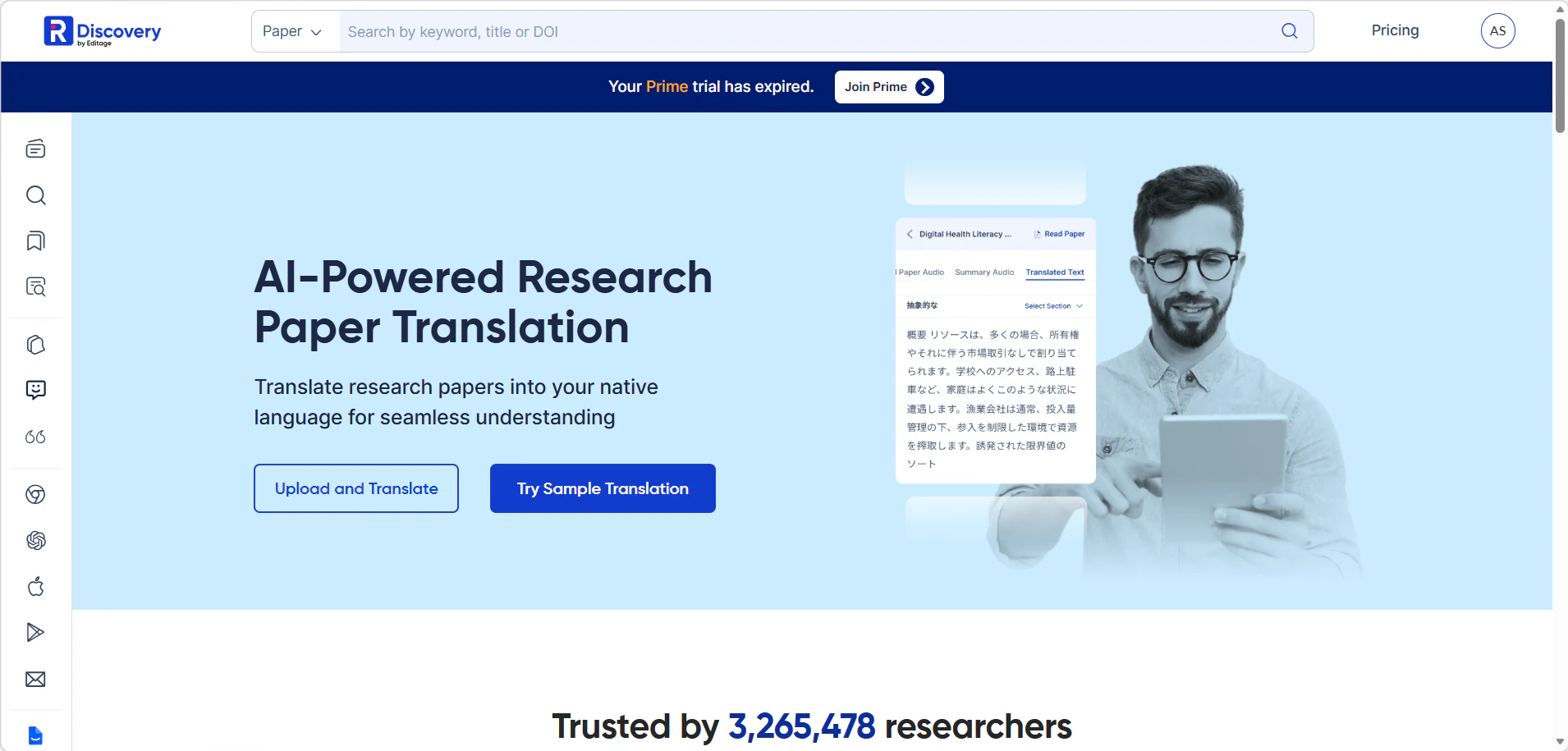
Summary: A translation tool that goes beyond text — includes AI Chat Q&A and audio generation for a more interactive reading experience.
✅ Pros
- Audio generation lets you listen to translated content
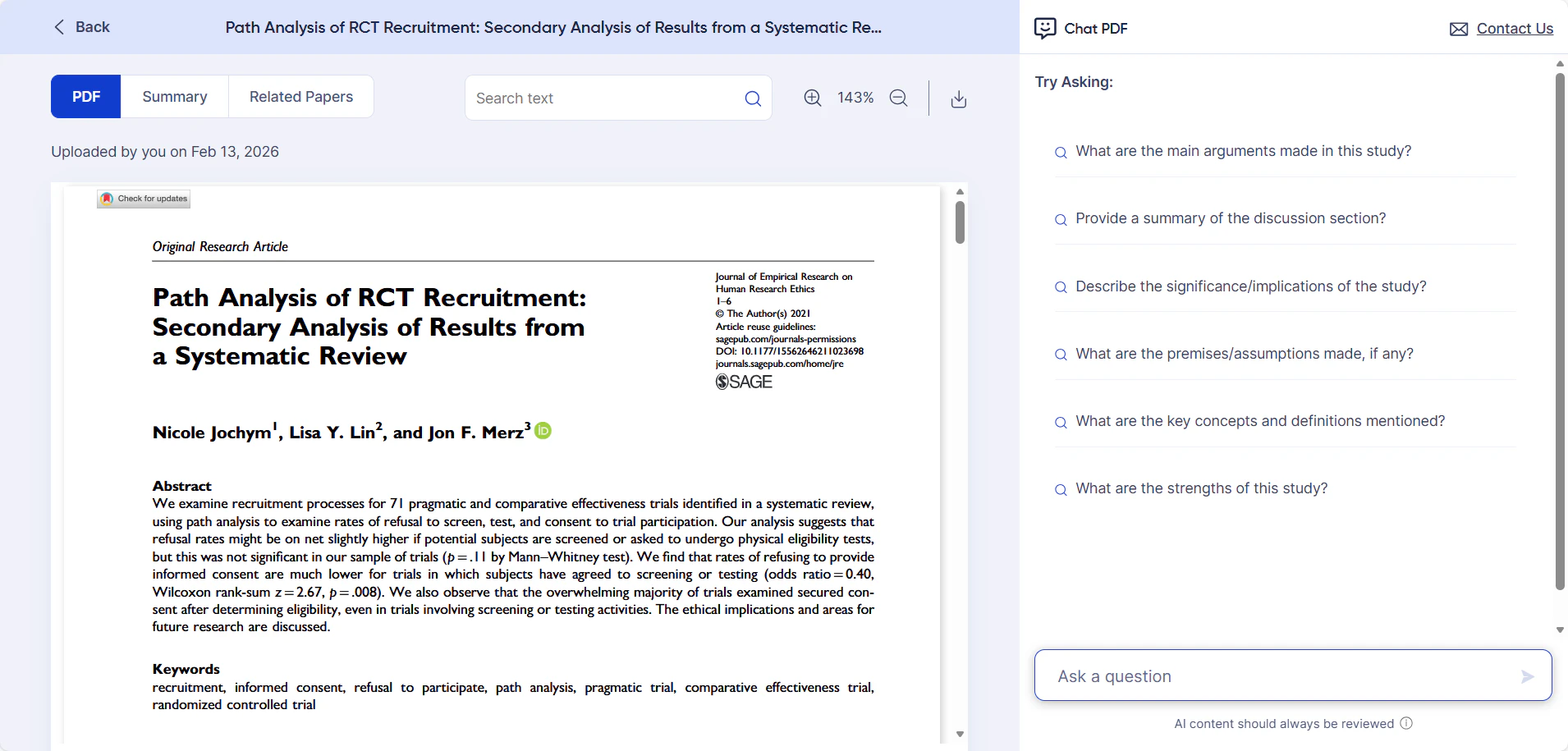
- AI Chat for interactive translation and follow-up questions
- Supports PDF and DOC uploads
- Flexible pricing: $3.9 / $8 for unlimited use
❌ Cons
- Requires sign-up
- Supported language list not displayed on the pricing page; users may need to test before committing
🖼️ Tool Preview
💬 User Experience
Strong "read/understand" experience with chat and audio, but the unknown language list may be a decision blocker for some teams.
📖 Example Use Case
A clinician uploads a 12-page English clinical guideline and translates it into Spanish. She then uses AI Chat to ask "What are the key contraindications mentioned?" — getting a structured summary in seconds. She generates an audio version of the translated text and listens during her commute. The audio is clear TTS quality, not natural-sounding, but functional for reviewing key points on the go.
🛠️ How to Use
Sign up → Upload PDF or DOC → Select target language → Click Translate → Use AI Chat for follow-up questions → Click audio icon to generate a listening version.
Note: R Discovery does not publicly list its supported language pairs — English output is confirmed; other language combinations should be tested before committing. Audio generation uses text-to-speech synthesis, suitable for listening while commuting but not broadcast-quality.
5. Linnk AI ★★★★
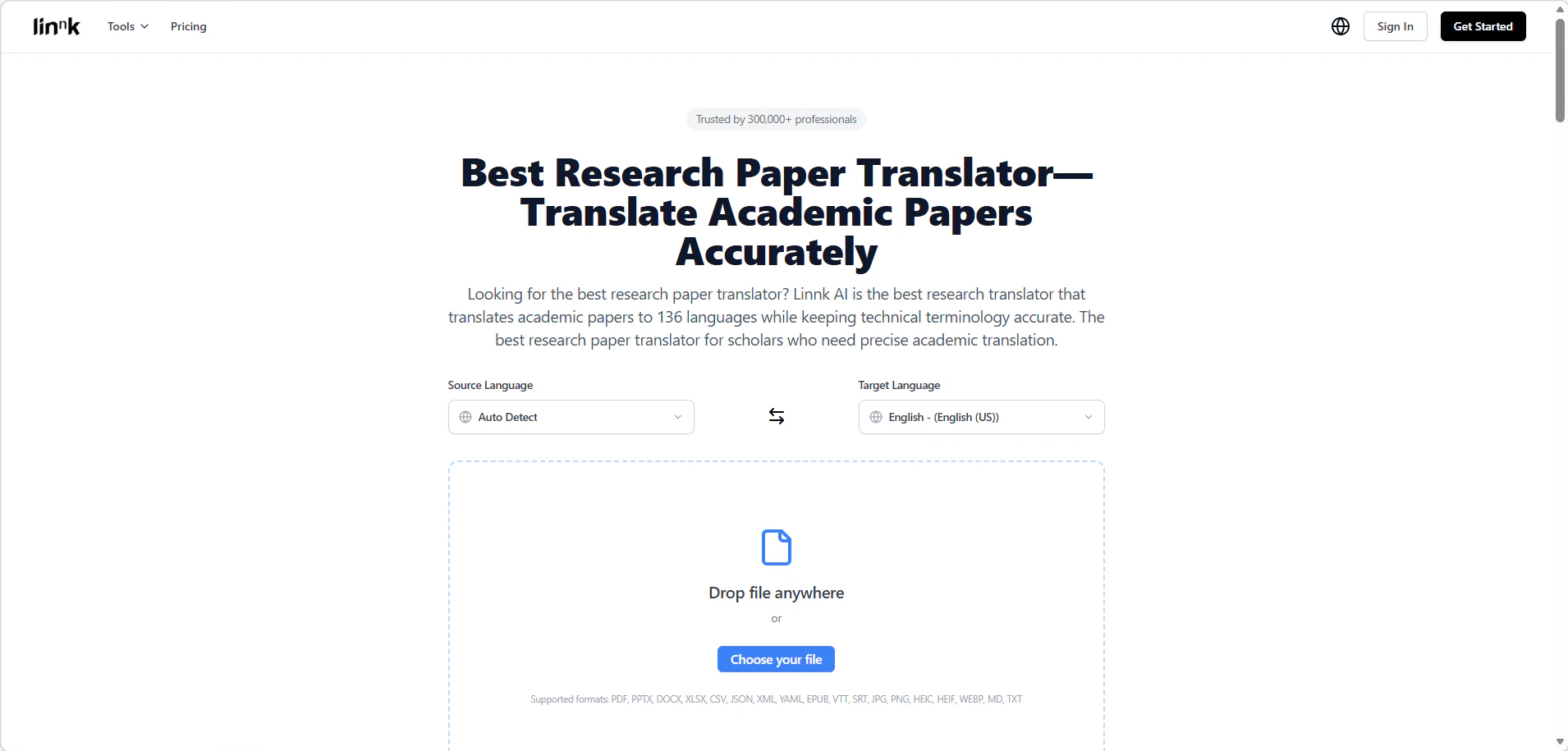
Summary: Enterprise-grade translation with 136 languages, 18+ document formats, and browser extensions — built for teams with diverse research workflows.
✅ Pros
- Supports 18+ document formats
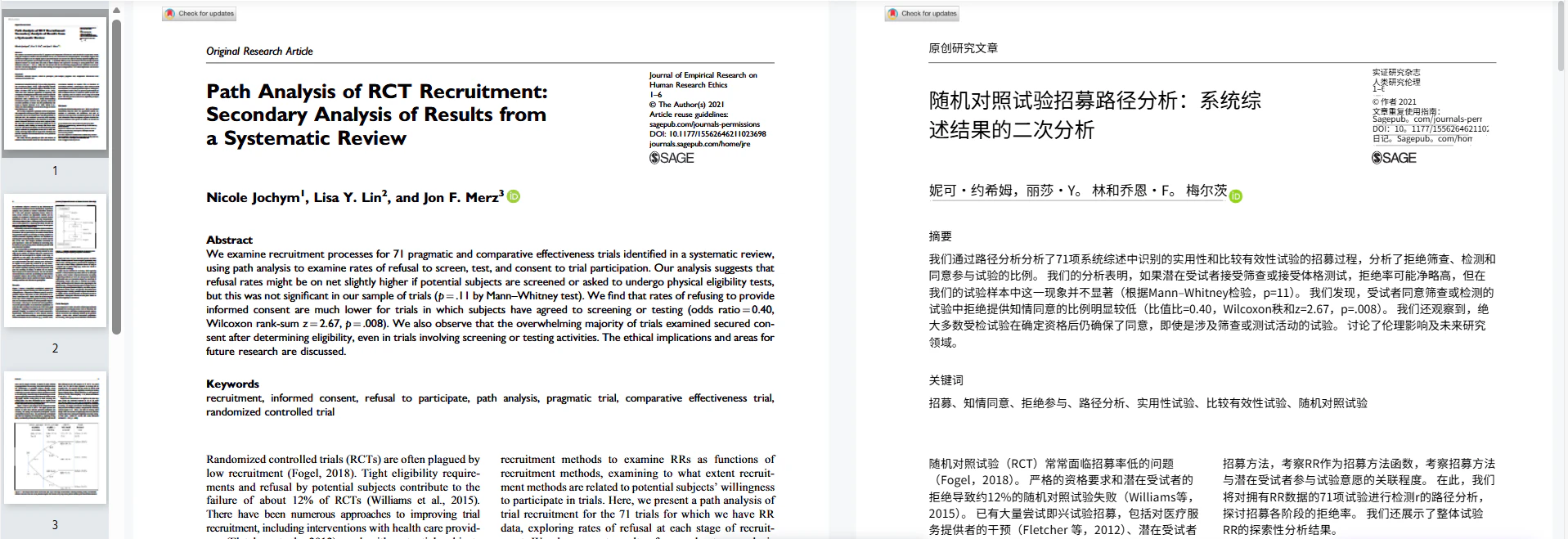
- Side-by-side original comparison for QA and proofreading
- AI Chat translation included
- Auto language detection across 136 languages
- Browser extensions for Chrome / Firefox / Edge
- Transparent per-credit and per-file pricing
❌ Cons
- Requires sign-up
- Free quota is limited; anonymous users get only one trial
- Paid plan capped at 8 files/month (up to 20MB & 50 pages)
🖼️ Tool Preview
💬 User Experience
Feels "enterprise-ish" with its formats, QA tools, and extensions — but the free/anonymous limitations push users toward paid usage quickly.
📖 Example Use Case
A research assistant has 6 conference papers in mixed formats — 3 PDFs, 2 Word docs, and 1 PowerPoint. She uploads all of them, sets source language to English and target to Japanese. Linnk AI auto-detects the language correctly on all 6. The Term Review panel flags 4 technical terms in the medical paper for manual verification. She then uses the Chrome extension to translate a Nature article directly in the browser — the layout holds and the inline translation appears without page reload.
🛠️ How to Use
Register and log in → Upload paper (PDF, Word, or 16+ formats) → Select source and target language (auto-detection available) → Click Translate → Review flagged terms in the Term Review panel → Download or copy output. Browser extension available for web-based papers.
Note: Term Review is a built-in glossary check feature that flags translated technical terms for manual review — particularly useful for medicine, law, and engineering papers where mistranslation has high stakes. Paid plan allows 8 files/month up to 20MB; higher tiers available upon request.
6. Wordvice ★★★
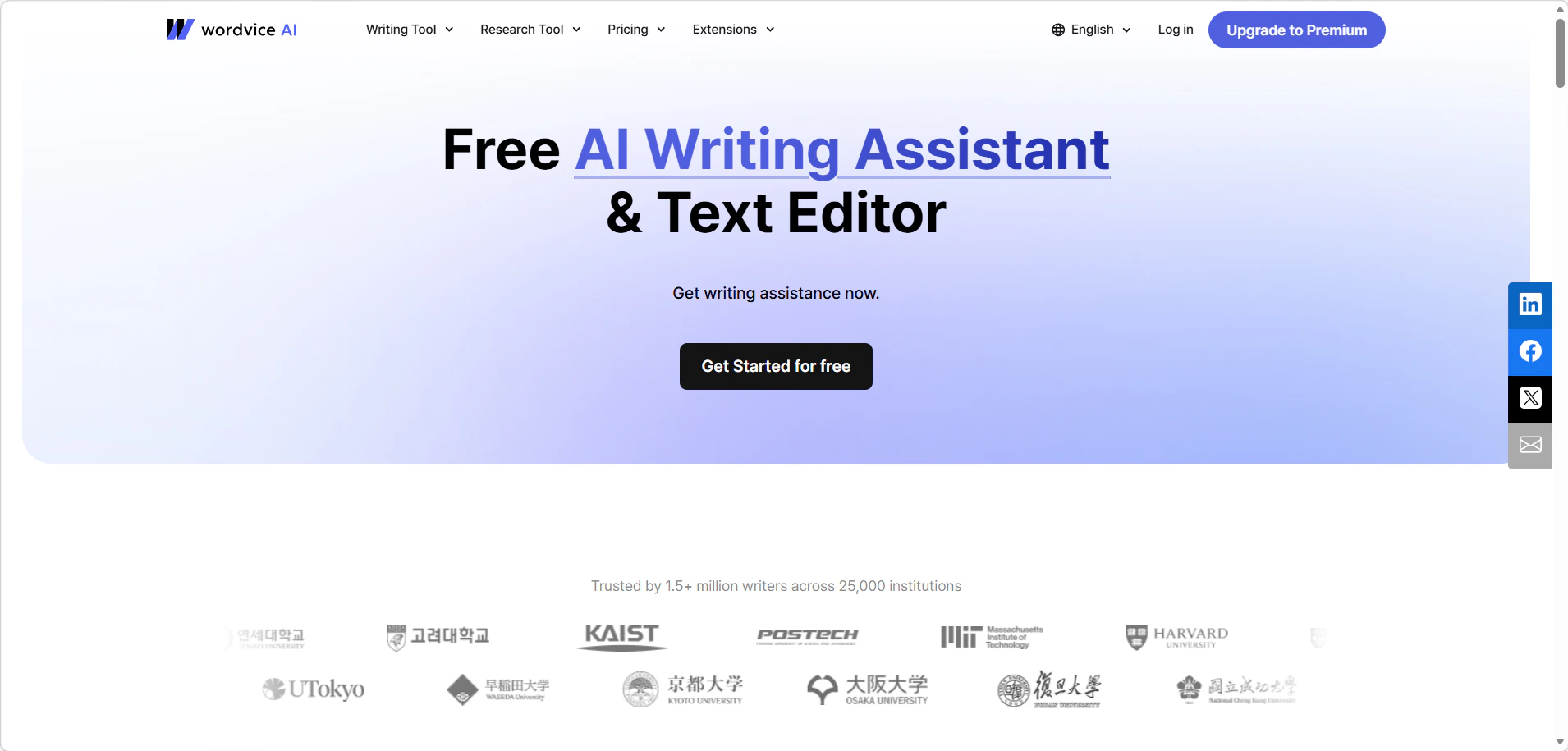
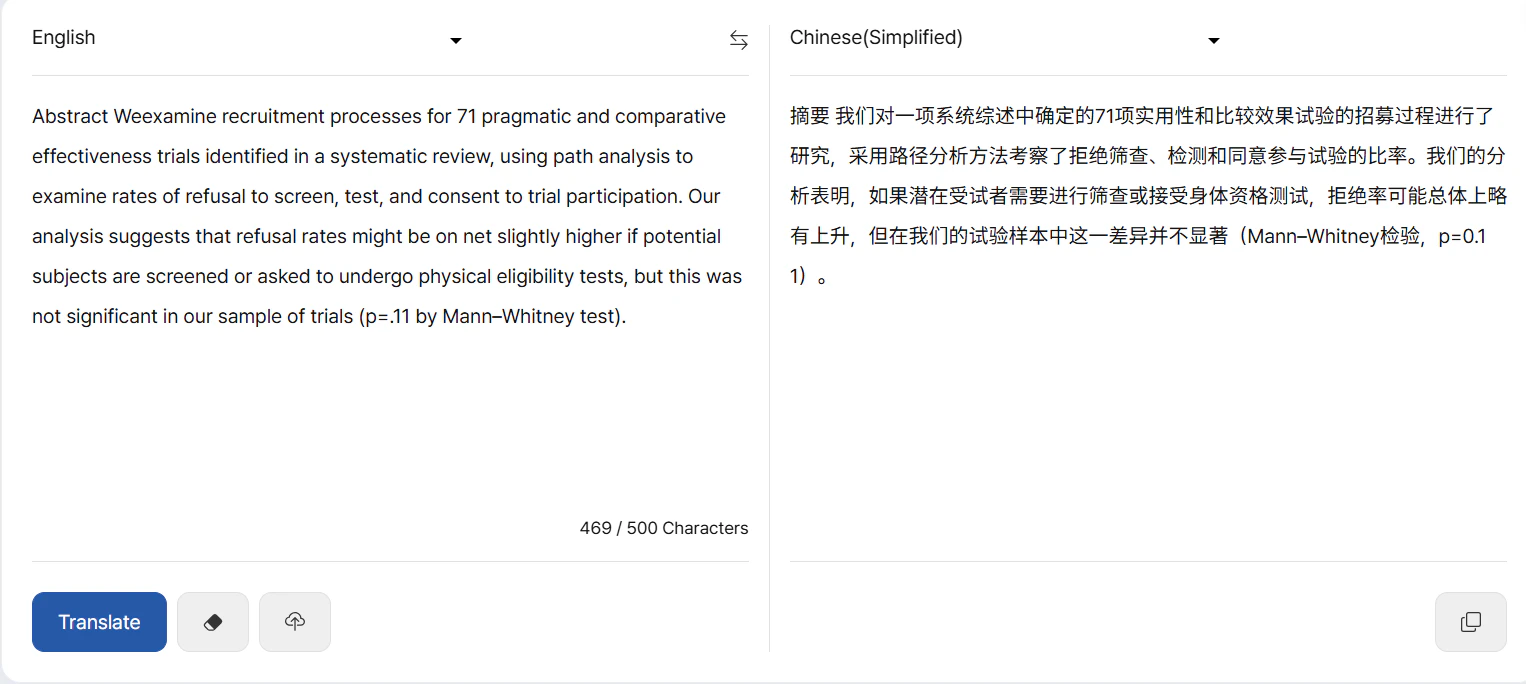
Summary: A solid choice for short-text translation with a side-by-side view — best used for quick checks rather than full-paper workflows.
✅ Pros
- Chrome plugin support
- PDF support up to 50MB with side-by-side view
- Free storage: 100 pages/month and 300MB
- Flexible paid tiers from $9.95 to $29.95/month
❌ Cons
- Free plan limited to 500 characters; paid plan to 5,000
- Downloading translated documents requires a premium membership
- Higher PDF upload failure rate reported
- Anonymous users get only one trial
🖼️ Tool Preview
💬 User Experience
Great for small tasks and comparisons, but export/download gating and occasional PDF upload issues can hurt end-to-end reliability.
📖 Example Use Case
A researcher needs to quickly check the key findings of a 3-page Chinese paper before a meeting. She pastes the abstract and results section (under 500 characters) into Wordvice and gets an instant English translation in the side-by-side view. The output is clean and readable. When she tries to paste the full methods section (1,800 characters), the free plan blocks it — she copies the translated portion manually instead of downloading.
🛠️ How to Use
Go to Wordvice AI → Paste text or upload PDF (up to 50MB) → Select source and target language → Click Translate → Review side-by-side output → Download requires paid plan; free users copy-paste manually.
Note: The 500-character free limit is the most restrictive on this list — for context, a single abstract typically runs 200–350 words (~1,400–2,450 characters), meaning most abstracts exceed the free plan. PDF upload failures are more likely with scanned documents or complex layouts; text-based PDFs generally work fine.
Which AI Scholar Translator Is Right for You?
- 🚀 Best for Quick, No-Signup Translation — Supawork AI
- ✍️ Best for Writing Workflows — Paperpal
- 🔬 Best for Full Research Pipelines — ScholarAI
- 🎧 Best for Interactive Comprehension — R Discovery
- 🌐 Best for Multi-Language & Multi-Format — Linnk AI
- 💰 Best Flexible Pricing — Wordvice · R Discovery
- 🆓 Best Free Plan — Supawork AI · Paperpal · ScholarAI
Frequently Asked Questions
Q: Are AI Scholar Translators accurate enough for scientific papers?
A: Yes — tools like ScholarAI and Linnk AI are specifically trained on academic text, far more accurate than general-purpose translators for discipline-specific terminology. Always manually review method sections before final submission.
Q: Can I translate a research PDF without creating an account?
A: Supawork AI is the only tool on this list that allows full anonymous translation with no sign-up. All other tools require registration.
Q: What's the difference between an AI Scholar Translator and a general AI translator?
A: AI Scholar Translators preserve citation formatting, handle discipline-specific terminology, and support academic file formats like .bib, .ris, and structured PDFs — things general translators like Google Translate are not optimized for.
Q: Which tool is best if I'm on a budget?
A: Supawork AI for free. If you need paid use occasionally, ScholarAI's per-operation cost (~$0.19–$0.20) means you only pay for what you use.
Q: How long does it take to translate a 20-page research paper?
A: It depends on the tool. Supawork AI typically completes a 20-page PDF in under 2 minutes. ScholarAI takes longer — around 10–15 minutes for a full workflow including rewriting — but offers more output control. Tools that require file parsing (like Linnk AI with non-PDF formats) may add 1–3 minutes of processing time.
Q: Can these tools handle discipline-specific terminology accurately?
A: Partially. ScholarAI and Linnk AI perform best on technical terminology due to academic training data and built-in term review features. For highly specialized fields (e.g., clinical pharmacology, patent law), manual review of flagged terms is still recommended regardless of tool.
Final Verdict
- Want to try before committing to any paid plan? → Supawork AI is the default starting point.
- Need a full academic workflow (translate + rewrite + cite)? → ScholarAI
- Team handling multilingual, multi-format papers? → Linnk AI
How to decide in 30 seconds:
- Translating once or twice? → Supawork AI (free, no account)
- Translating regularly as part of writing? → Paperpal or ScholarAI
- Working in a team with mixed file formats? → Linnk AI
- Need to understand a paper, not just translate it? → R Discovery
- Just checking a short passage quickly? → Wordvice
R Discovery and Wordvice are strong in their niches — audio comprehension and quick short-text checks — but are less suited as primary translation tools for full papers.